
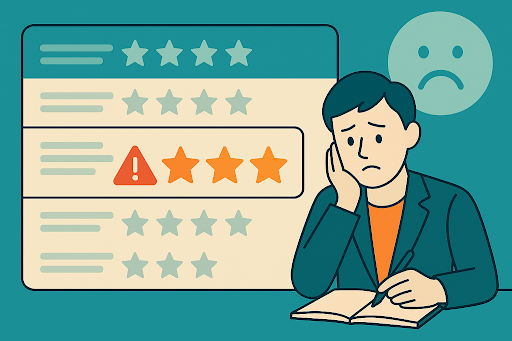
Knowing how to deal with fake negative reviews on Google is essential for protecting a business’s online reputation. These fraudulent reviews, often posted by competitors, trolls, or bots, can erode customer trust and harm local SEO performance.
This guide outlines actionable steps to identify, remove, and respond to fake reviews while safeguarding a brand’s reputation and boosting local SEO.
How to Spot Fake Google Reviews Before Reacting

Identifying fake reviews before taking action is essential to avoid missteps. Not every negative review is fraudulent, so careful evaluation prevents unnecessary escalation.
Common Signs of Fake Reviews
Fake reviews often share distinct characteristics that set them apart from genuine feedback:
- Generic or vague content: Reviews lacking specific details about the customer’s experience, such as “Terrible service!” without context, may indicate fraud.
- No reviewer profile or history: Many fake reviews come from accounts with no profile photo, no other reviews, or recently created profiles.
- Incorrect facts about the business: Reviews mentioning services, products, or locations that don’t align with the business’s offerings are red flags.
Spotting these signs ensures that the focus remains on reviews that violate Google’s policies.
Why It’s Crucial to Verify Before Responding
Reacting hastily to a suspected fake review can backfire. Publicly accusing a reviewer of fraud may escalate the situation or alienate real customers reading the response. Verification also ensures compliance with Google’s removal process, increasing the likelihood of successful removal. Assessing the review’s legitimacy protects the business’s reputation and avoids wasting resources.
Steps to Remove a Fake Google Review
Once a review is confirmed as fake, swift action is necessary. Google provides tools to report and remove reviews that violate its policies.
Use the “Flag as Inappropriate” Option
The simplest way to report a fake review is through the Google Business Profile dashboard:
- Log in to the Google Business Profile account.
- Navigate to the “Reviews” section.
- Locate the suspicious review and click the three-dot menu beside it.
- Select “Flag as inappropriate” and provide a reason, such as “spam” or “conflict of interest.”
Google typically reviews flagged content within a few days. Ensure the reason selected aligns with Google’s review policies for faster processing.
Submit a Formal Request via Google Business Help
If flagging doesn’t resolve the issue, escalate the matter through Google’s formal process. Visit the Google Business Profile Help Center and complete the review removal request form. Provide clear evidence, such as:
- Screenshots of the review showing inaccuracies.
- Proof that the reviewer was not a customer (e.g., no transaction records).
- Details linking the review to Google’s policy violations, like spam or defamation.
Clear, concise submissions improve the chances of approval. Check the status of the request regularly in the Google Business Profile dashboard.
When to Escalate to Legal Action or Contact Google Support
In rare cases, fake reviews may require escalation. If a review contains defamatory content or violates legal standards, consult a lawyer to explore options like cease-and-desist letters.
For persistent issues, contact Google Business Profile support directly through the Help Center or by phone. Provide all prior documentation to strengthen the case. Legal action should be a last resort, as it can be time-consuming and costly.
How to Respond to Fake Reviews Professionally (If Needed)
Sometimes, removal isn’t immediate, and a professional response is necessary to mitigate damage. A well-crafted reply demonstrates professionalism and reassures potential customers.
Keep Your Response Calm and Factual
Responses should remain neutral and avoid confrontation. Never accuse the reviewer of posting a fake review, as this may violate Google’s guidelines or escalate tensions. Instead, focus on facts and customer service.
Below is an example response template:
“Thank you for your feedback. The business strives to provide excellent service to all customers. The details in this review don’t align with our records, but please contact us directly to address any concerns. We’re committed to resolving issues promptly.”
This approach maintains professionalism while subtly questioning the review’s validity.
Use the Opportunity to Reassure Real Customers
A professional response serves as a public statement to readers scanning reviews. Highlight the business’s commitment to quality and customer satisfaction. For example, mention awards, certifications, or positive testimonials to counterbalance the negative review.
This strategy reinforces trust and encourages potential customers to engage with the business.
How Fake Reviews Impact Local SEO and Why Removal Matters
Fake negative reviews don’t just harm reputation; they directly affect local SEO performance. Understanding their impact underscores the importance of swift removal.
Reputation Signals Affect Trust and CTR
Negative reviews, even fake ones, can lower trust among potential customers. Studies show that businesses with higher star ratings and positive reviews have better click-through rates (CTR) on Google search results.
Fake reviews may deter customers, reducing engagement and conversions. Addressing them promptly preserves trust and supports online reputation management.
Google’s Ranking Signals Include Review Quality
Google’s local ranking algorithm considers review quantity, quality, and consistency. A flood of fake negative reviews can skew these metrics, lowering the business’s visibility in local search results.
Removing fraudulent reviews ensures the profile reflects authentic feedback, strengthening local SEO performance. For expert guidance, consider consulting local SEO experts.
How to Prevent Future Fake Reviews
Proactive measures reduce the risk of fake reviews and strengthen the business’s online presence.
- Claim and manage the Google Business Profile: An unclaimed or poorly managed profile is more vulnerable to fraudulent reviews. Verify ownership and keep the profile updated with accurate details.
- Monitor review activity: Set up alerts in Google Business Profile to receive notifications of new reviews. Tools like ReviewTrackers or BrightLocal can also help track suspicious activity.
- Educate team members: Train staff to recognize fake reviews and follow proper reporting procedures. A vigilant team ensures faster responses to potential threats.
Consistent monitoring and management deter malicious actors and maintain a clean profile.
Pro Tip – Encourage Real Customers to Dilute the Impact

One of the most effective ways to counter fake reviews is to generate authentic, positive feedback from real customers. A strong base of genuine reviews dilutes the impact of fraudulent ones and boosts local SEO.
Strategies to encourage authentic reviews include:
- Post-purchase emails: Send polite, personalized emails asking satisfied customers to leave a review. Include a direct link to the Google Business Profile.
- QR codes at the location: Display QR codes on receipts, signage, or checkout counters, linking directly to the review page for convenience.
- Personal requests: Train staff to ask happy customers for reviews during positive interactions, emphasizing how feedback helps the business improve.
Protect Your Brand’s Reputation Long-Term
Handling fake negative reviews on Google requires a systematic approach: identify suspicious reviews, report them through Google’s tools, respond professionally when needed, and prevent future issues with proactive management.
Encouraging authentic reviews from satisfied customers further strengthens the business’s reputation and local SEO performance. While fake reviews can be frustrating, they don’t define a brand – how the business responds does.
By staying vigilant and following these steps, a strong, trustworthy online presence can be maintained, ensuring long-term success in a competitive digital landscape.